I can’t connect
A step-by-step checklist that fixes most issues.
Work through this checklist from top to bottom — most connection problems are fixed in the first three steps.
-
Check your plan
Open your account overview. If the plan shows Expired, renew it or redeem a code. After buying in an app store, use Restore Purchases in the app.
-
Try another location and protocol
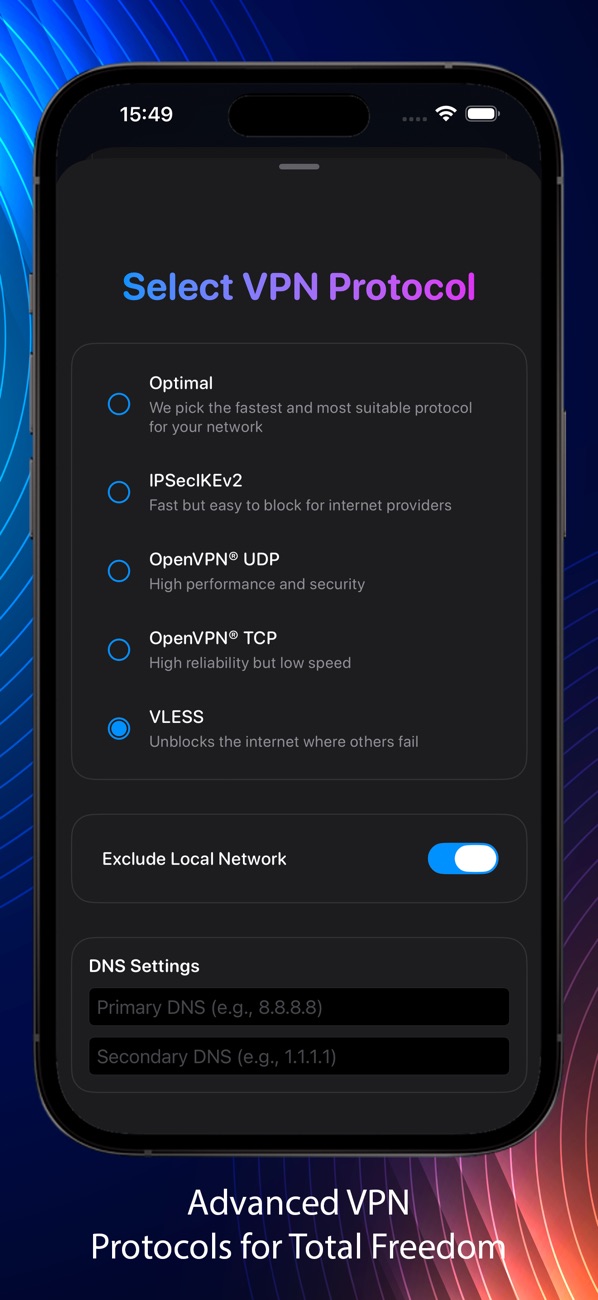
Pick a different city, then switch the protocol: Optimal → VLESS → OpenVPN TCP. If only VLESS works, your network is blocking VPNs — see VPN is blocked on my network.
-
Check the device limit
Seeing “You have reached the maximum allowed number of devices”? Too many devices are connected at the same time. Disconnect one or add more slots.
-
Restart the basics
- Switch Wi-Fi off and on, or try mobile data — public hotspots often block VPNs until you accept their terms page.
- Make sure your device’s date and time are set automatically. A wrong clock breaks encryption.
- Turn off other VPNs, proxies and “secure DNS” apps; only one VPN can run at a time.
- Update RealVPN to the latest version from your app store.
-
Manual setups: regenerate the config
If you pressed Revoke VPN credentials, old profiles stop working. Generate a fresh config on Manual VPN setup and import it again.
-
Still stuck? Write to us
Email [email protected] from your account email with your device, app version, protocol, location and the exact error. A screenshot helps a lot.