IKEv2 on Android
With the free strongSwan client.
Android doesn’t include a username/password IKEv2 client on every phone, so we use the free, open-source strongSwan app.
What you need
- An Android phone or tablet
- An active RealVPN plan
-
Get your IKEv2 config
Sign in at realvpn.io, open the Account menu and choose Manual VPN setup — or go straight to realvpn.io/settings.
Select IKEv2, choose a location close to you and press Generate config. You’ll get a server address, login and password.
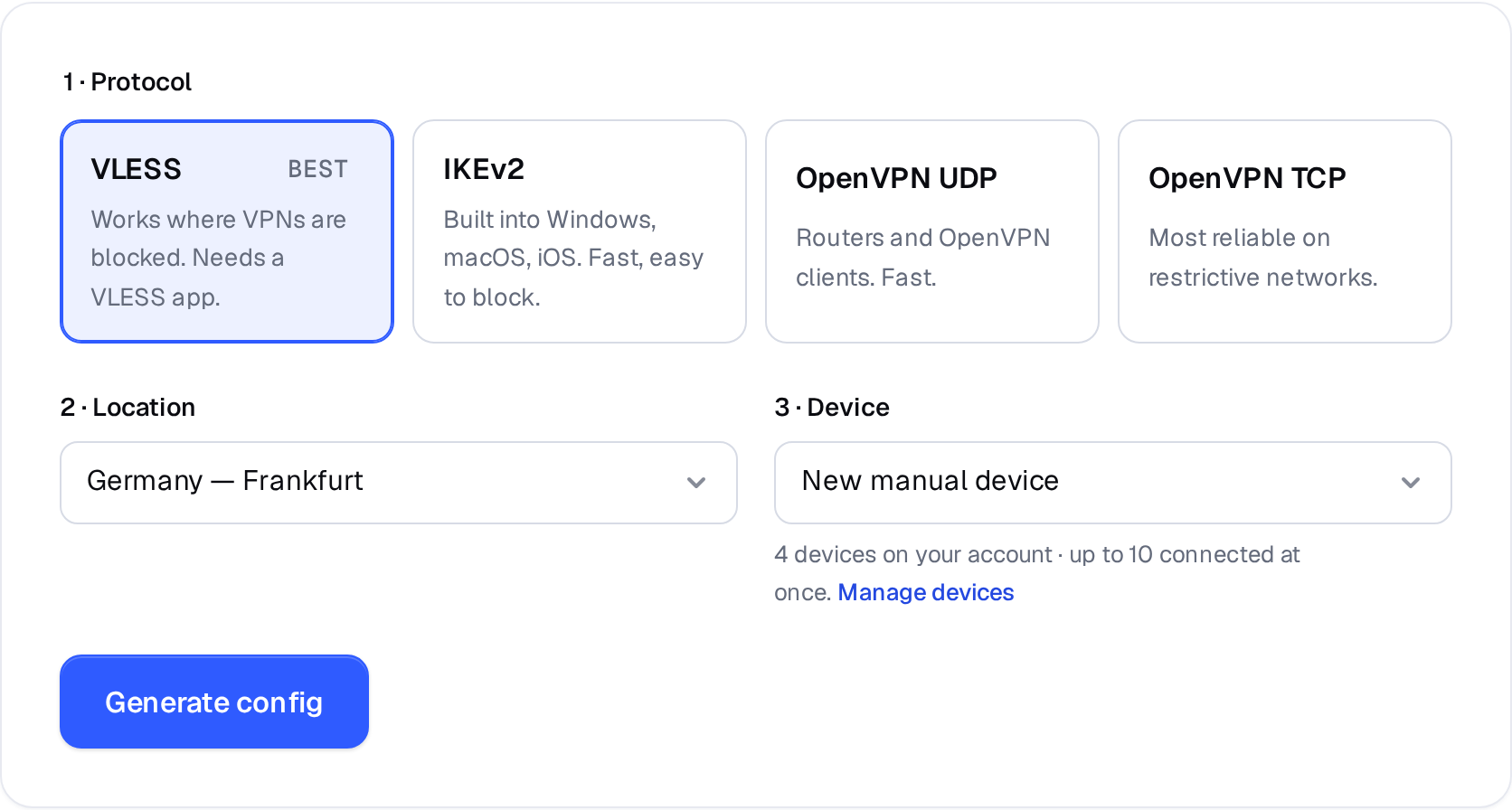
Manual VPN setup: pick a protocol, a location and a device. 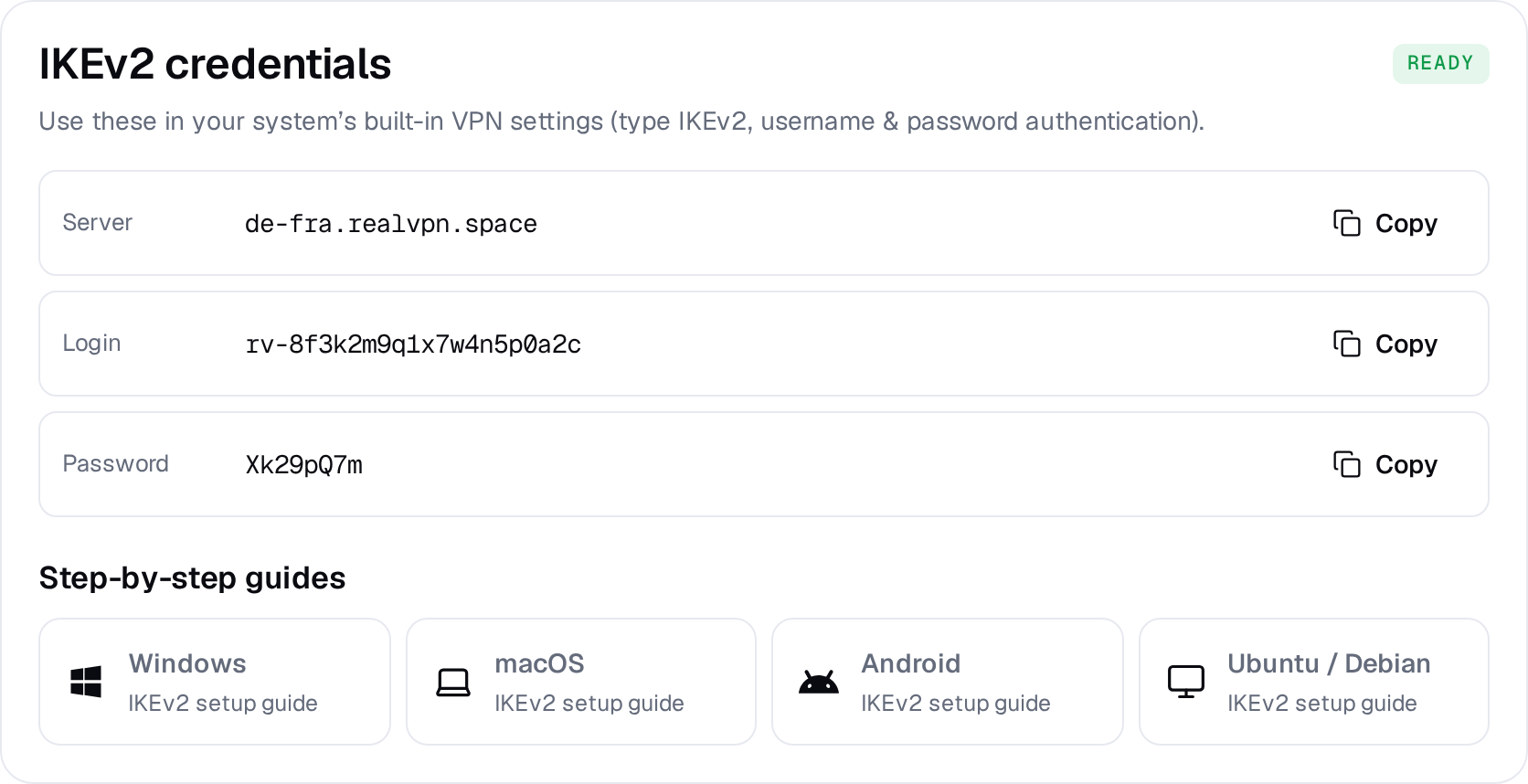
Example result — your values will be different. Device: choose New manual device the first time. Setting up the same device again? Pick it from the list to reuse its credentials instead of creating a new one.
-
Install strongSwan
Install strongSwan VPN Client from Google Play.
-
Create the profile
Tap Add VPN profile and fill in:
9:41●●● ▮Serverde-fra.realvpn.spaceVPN TypeIKEv2 EAP (Username/Password)Usernamerv-8f3k…Password••••••CA certificateSelect automatically ✓Save -
Connect
Tap the RealVPN profile and accept the connection request. Tap it again to disconnect.